Trivial File Transfer Protocol (TFTP) is a simplified version of the file transfer protocol. Data transfer for TFTP is initiated through port 69, however, the data transfer ports are selected by the sender and receiver when the connection is initialized.
TFTP is limited compared to FTP and you can only read and write files to or from a remote system and cannot list directories or make any changes. Also, unlike FTP, TFTP has no login feature, meaning there is no authentication process and you can’t protect files or audit access to the files.
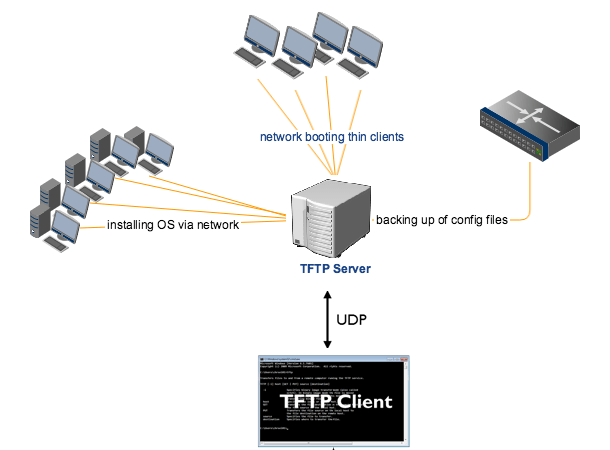
TFTP is rarely used by regular users in a computer network due to its limitations and lack of security. However, TFTP is a very useful tool for sys admins and IT professionals for booting computers and devices that do not have hard disk drives or storage devices because it can easily be implemented using a small amount of memory.
Tasks like remote booting without hard drives, backing up configuration files, upgrading codes, and saving IOS images are done using TFTP. This is because the characteristic of TFTP makes it one of the core elements of network boot protocol, or preboot execution environment. This is why TFTP as defined in RFC 1350, is most often associated with simple downloads, such as those associated with transferring firmware to a device like a router and booting diskless workstations.
 HansITAcademy
You must be logged in to post a comment.